Have you ever wished you had an easy-to-use, fast and
reliable tool for executing and developing your SQL queries? A tool that
automatically keep track of your last executed queries, a tool that let you export,
print, sort and filter your query results, a tool that keep track of query
response time. Sui does all of this plus a lot more and it does it on most
operating systems for most database management systems (DBMS).
The main audience for the tool are application developers, database
administrators and advanced end-users involved in data analysis and application
testing. The driving idea behind Sui is to create a productive tool for
developing and executing SQL statements. Sui focus on accessing relational
(tabular) data direct through SQL rather than through a point and click
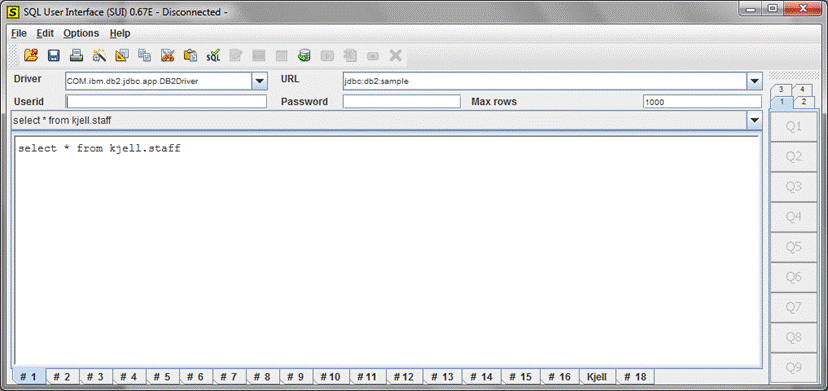
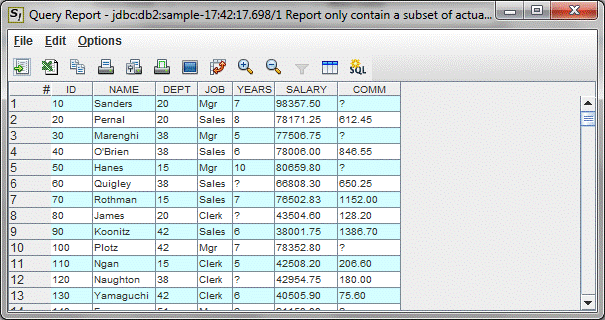
user-interface. Sui consists of two main user interfaces, the query window and
the report window. From the query window the user creates, maintains, builds
and executes SQL statements against a relational data source. From the report
window the user works with a result set from an SQL statement, the user can
print, rearrange and export the result set. Sui can access all JDBC (Java
Database Connection) and on the windows platform all ODBC (Open Database
Connection) enabled databases. This includes most databases available in the
marketplace. For example:
Since Sui is a Java application it executes under most
operating systems, this includes Windows 8, Windows 7, Windows XP, Windows
2000, Windows NT, Windows Me, Windows 95, Windows 98, Linux, Unix,
Mac-OS etc. Sui is a FREEWARE, totally free of charge. If you have any
questions or comments about Sui send an email to
kjell@sui.nu